
Practice with voice rotation
You choose a voice, then switch on rotation so the app picks a different voice for each reading. At the end, you can name the voice of every reading from the status bar. This tutorial takes about 10 minutes and needs the first-launch download to be finished.
Before you start
Section titled “Before you start”Let the first-launch download finish before you start. During the download, the Voice menu lists only the first voice to arrive, and the other voices appear as the download finishes. See Manage voices and storage to check which voices are installed.
Set the Mac’s volume before you start. The app has no volume control.
Choose a voice
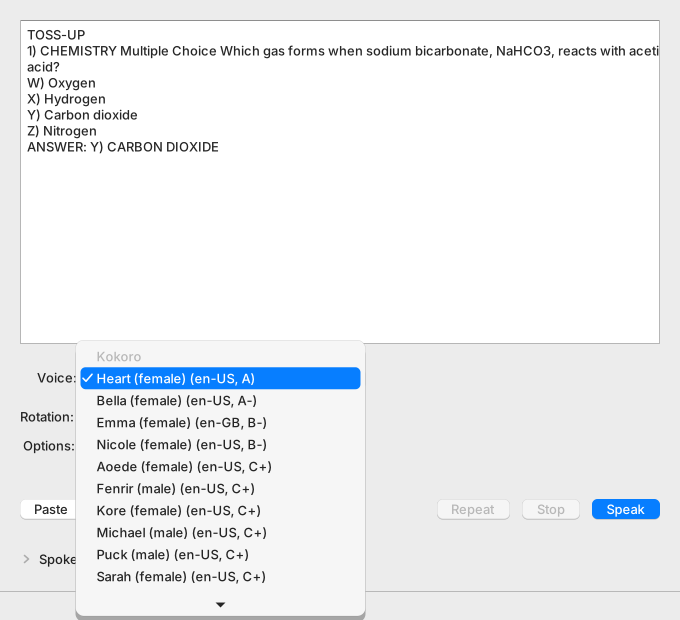
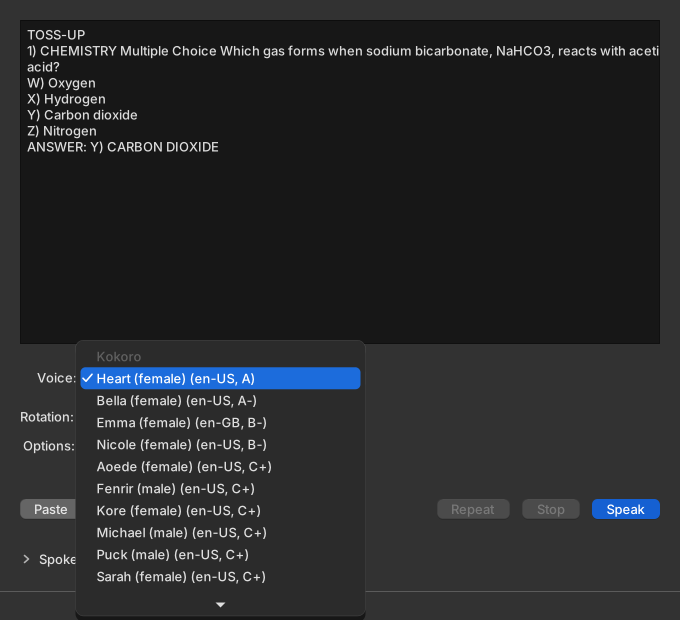
Section titled “Choose a voice”The Voice menu groups voices under a heading for each voice engine. The headings are labels, not choices. Each row shows the voice’s name, its language, and a quality label.
Copy this question. You use it in every step of this tutorial.
TOSS-UP1) CHEMISTRY Multiple Choice Which gas forms when sodium bicarbonate, NaHCO3, reacts with acetic acid?W) OxygenX) HydrogenY) Carbon dioxideZ) NitrogenANSWER: Y) CARBON DIOXIDE-
Select the question above and press Command-C.
-
Click Paste in the Cloudy Reader window.
The question box shows the question, starting with TOSS-UP.
-
Open the Voice menu and choose a voice other than the one it shows.
The Voice menu shows the voice you chose.
-
Press Command-Return.
The status bar shows “Preparing…”, then “Playing n s.” You hear the question in the voice you chose.
The app saves your choice and selects the same voice at the next start.
Turn on Round robin
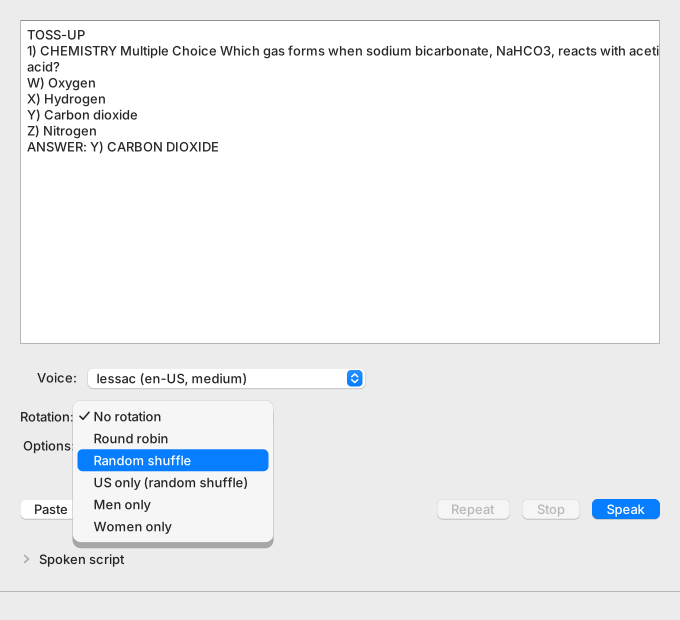
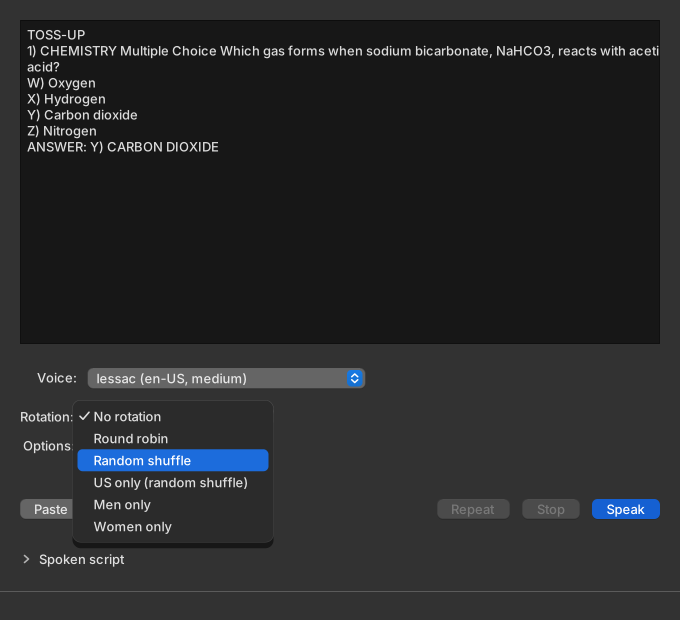
Section titled “Turn on Round robin”Round robin reads each question with the next voice in the Voice menu.
-
Open the Rotation menu and choose Round robin.
The Rotation menu shows Round robin.
-
Press Command-Return.
The status bar shows “Preparing with voice…”, then “Playing n s with voice.” The voice is a name and a gender. It is the first voice in the Voice menu when you have not used rotation since the app started. Otherwise it is the voice after the last one that rotation used.
-
When the sound starts, press Command-Return again.
The status bar names the next voice in the Voice menu.
-
When the sound starts, press Command-Return a third time.
The status bar names the voice after that.
The Voice menu still shows the voice you chose, because rotation never changes it.
Try a random deck
Section titled “Try a random deck”Random shuffle deals the voices like a shuffled deck. No voice repeats until every voice has played.
-
Open the Rotation menu and choose Random shuffle.
The Rotation menu shows Random shuffle.
-
Press Command-Return.
The status bar names a voice.
-
When the sound starts, press Command-Return again.
The status bar names a different voice.
-
When the sound starts, press Command-Return a third time.
The status bar names a third voice that differs from the first two.
Practice with one group of voices
Section titled “Practice with one group of voices”Three modes deal from a smaller group of voices: Men only, Women only, and US only (random shuffle).
-
Open the Rotation menu and choose Men only.
The Rotation menu shows Men only.
-
Press Command-Return.
The status bar names a voice followed by “(male)”, for example “Daniel (male)”.
-
When the sound starts, press Command-Return again.
The status bar names another voice followed by “(male)”.
Choose Women only and repeat the steps to see “(female)”.
The status bar does not show an accent. To check US only (random shuffle), look up the voice name in the Voice menu: every row it deals from says en-US.
If no installed voice fits the mode, the reading uses the voice in the Voice menu. The status bar shows a warning that stays after the sound ends.


Repeat without changing the voice
Section titled “Repeat without changing the voice”-
Press Command-Return.
The status bar names a voice. Note it.
-
When the sound ends, press Command-R.
The status bar shows “Repeating.” and you hear the same voice again.
-
Press Command-Return.
The status bar names a different voice.
Repeat replays the stored audio, so it does not move rotation to the next voice.
Turn rotation off
Section titled “Turn rotation off”-
Open the Rotation menu and choose No rotation.
The Rotation menu shows No rotation.
-
Press Command-Return.
The status bar shows “Playing n s.” with no voice name. You hear the voice that the Voice menu shows.
The app saves the rotation mode and restores it at the next start. It does not save the deck or the last voice.
What you learned
Section titled “What you learned”- The Voice menu groups voices under a heading for each voice engine, and each row shows a quality label.
- Round robin takes the next voice in menu order. Random shuffle deals every voice once before any voice repeats.
- Men only, Women only, and US only (random shuffle) deal from a smaller group.
- The status bar names the voice of each rotation reading while the sound plays.
- Repeat replays the last audio and does not move rotation on.
Next steps
Section titled “Next steps”- Voices and rotation modes lists the exact rule for each mode.
- Voices and voice engines explains the voice engines and how to choose a voice for practice.
- Fix a mispronounced word teaches pronunciation guides.