
Read and review a question
You paste a question, play it, stop and repeat it, read the spoken script, and hear the answer line. At the end, you can run a full reading from the keyboard and check what the voice received. This tutorial takes about 10 minutes and needs Cloudy Reader open with a voice installed.
Before you start
Section titled “Before you start”Open Cloudy Reader and check that the Voice menu shows a voice. If the menu is dimmed, no voice is installed yet: see No voice is installed. If you have not installed the app yet, start with Get started.
Check that Rotation shows No rotation and that Read answer line is deselected. You select it in a later step.
Set the Mac’s volume before you start. The app has no volume control.
Paste a question
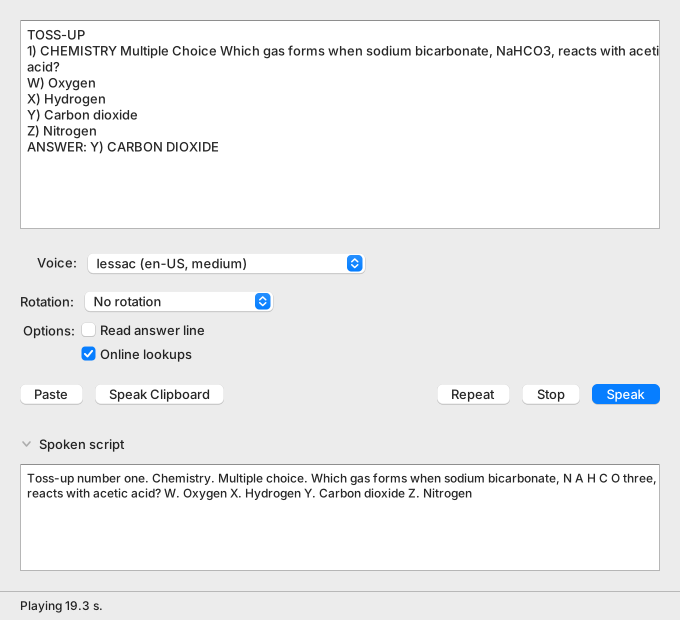
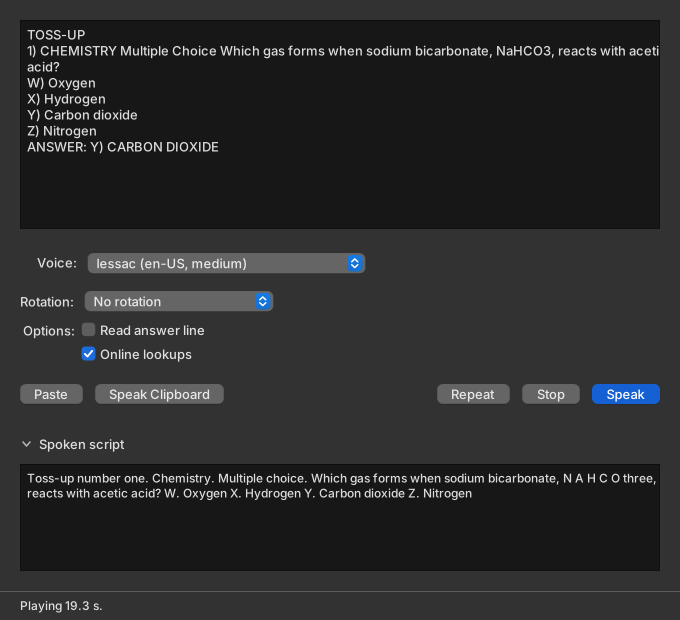
Section titled “Paste a question”The question box sits at the top of the window. Below it are the Voice and Rotation menus, the Read answer line and Online lookups checkboxes, and a row of buttons. The Spoken script control and the status bar are at the bottom.
Copy this question.
TOSS-UP1) CHEMISTRY Multiple Choice Which gas forms when sodium bicarbonate, NaHCO3, reacts with acetic acid?W) OxygenX) HydrogenY) Carbon dioxideZ) NitrogenANSWER: Y) CARBON DIOXIDE-
Select the question above and press Command-C.
-
Click Paste in the Cloudy Reader window.
The question box shows the text, starting with TOSS-UP. Paste replaces any text that was in the box, so the box holds the question once.
To paste with the keyboard instead, click the question box, press Command-A to select its text, and press Command-V. Command-V alone adds the text at the cursor and leaves the old text in the box.
Listen and control playback
Section titled “Listen and control playback”The keyboard shortcuts work while Cloudy Reader is the active app.
-
Press Command-Return.
The status bar shows “Preparing…” with a busy bar at the right. The first reading after the app opens takes longer, because the app loads its name-detection model once. Then the status bar shows “Playing n s.” and you hear “Toss-up number one. Chemistry. Multiple choice.” followed by the question. Do not wait for the sound to end.
-
While the sound plays, press Command-Period (.). If the sound has already ended, press Command-R to play the reading again, and then press Command-Period (.).
The sound ends and the status bar shows “Stopped.”
-
Press Command-R.
The status bar shows “Repeating.” and the whole reading plays again.
The “Playing” message clears when the sound ends. Each of these shortcuts has a button: Speak, Stop, and Repeat. Stop is available only while sound plays. Repeat is available after a reading has played.
Check the spoken script
Section titled “Check the spoken script”-
If the Spoken script view is closed, click Spoken script.
The view is open below the buttons.
-
Read the text in the view.
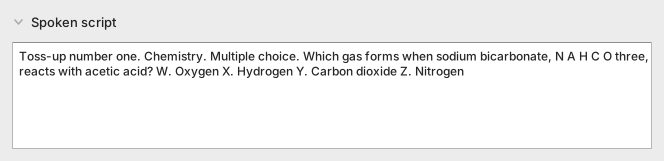
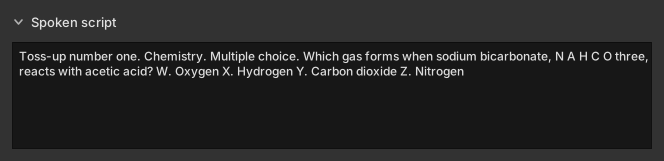
It shows the words that the voice received: “Toss-up number one. Chemistry. Multiple choice. Which gas forms when sodium bicarbonate, N A H C O three, reacts with acetic acid? W. Oxygen X. Hydrogen Y. Carbon dioxide Z. Nitrogen”
Compare the script with the question you pasted:
TOSS-UPand1)became “Toss-up number one.”NaHCO3became “N A H C O three”, so the voice spells the formula.W),X),Y), andZ)became “W.”, “X.”, “Y.”, and “Z.”- The answer line is not in the script.
Hear the answer
Section titled “Hear the answer”-
Select Read answer line.
The checkbox shows selected.
-
Press Command-Return.
After the last choice, the app is silent for 5 seconds. Then you hear “Answer. Y. Carbon Dioxide.” The Spoken script now ends with that sentence.
The app saves this choice. Deselect Read answer line to skip the answer again.
Read two questions in a row
Section titled “Read two questions in a row”Copy these two questions. A paste can hold several questions.
TOSS-UP2) PHYSICS Short Answer A cart moves 90 meters in 6 seconds at a constant speed. What is its speed in m/s?ANSWER: 15
BONUS2) PHYSICS Short Answer What is the kinetic energy, in joules, of a 2 kg cart that moves at 3 m/s?ANSWER: 9-
Deselect Read answer line.
-
Select the two questions above and press Command-C.
-
Switch to Cloudy Reader with Command-Tab, or click its window.
-
Press Command-Shift-V.
The question box now holds both questions. The status bar shows “Preparing…”, then “Playing n s.”
-
Look at the Spoken script.
It shows the toss-up first, beginning “Toss-up number two. Physics. Short answer.” The unit
m/sbecame “meters per second”. The bonus follows, beginning “Bonus number two. Physics. Short answer.” The app pauses 1.5 seconds between the two questions.
What you learned
Section titled “What you learned”- Command-Return speaks the question, Command-Period (.) stops the sound, and Command-R plays the last reading again.
- The Spoken script shows the words the voice receives, such as a formula spelled out letter by letter.
- Read answer line adds the answer after a pause of 5 seconds.
- One paste can hold several questions. The app reads them in order.
- Command-Shift-V pastes the clipboard and speaks it in one step.
Next steps
Section titled “Next steps”- Practice with voice rotation reads each question with a different voice.
- Question format and reading order lists the pauses and what the app cleans up.
- Keyboard shortcuts holds every key on one page.